
Mappls Traffic Vector Tiles is an overlay that you can use to display real-time traffic conditions on a map.
The overlay provides constantly updating congestion information best viewed on Mappls map (Available with all styles of Mappls Map).
Read more for List of Available Styles
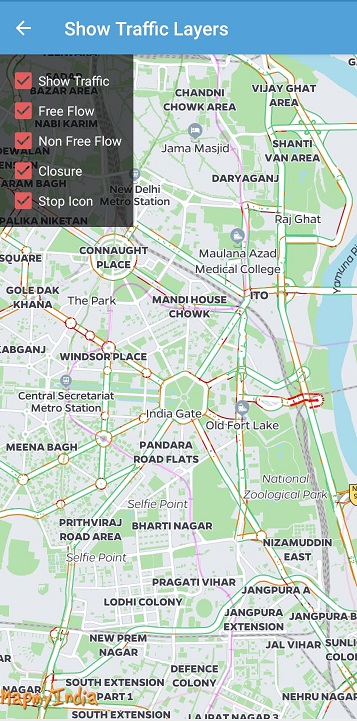
To enable/disable Tiles Overlay follow the below code snippet. Default is false.
self.mapView.isTrafficEnabled = false; //To enable/disable all TrafficTo choose from different traffic flow information use below referred code. Default is true.
 self.mapView.isClosureTrafficEnabled = false //To enable/disable Traffic Closure Overlay

self.mapView.isFreeFlowTrafficEnabled = false //To enable/disable Free Flow (Green) Overlay

self.mapView.isNonFreeFlowTrafficEnabled = false //To enable/disable Non free flow (Red/Orange) Overlay

self.mapView.isStopIconTrafficEnabled = false //To enable/disable Traffic Closure Overlay
Please Note : Custom styles overlaid with traffic tiles are not offered coherently. Contact API Support in case of custom styles and details of available custom claims of traffic tiles.
For any queries and support, please contact:






@ Copyright 2022 CE Info Systems Ltd. All Rights Reserved.
Terms & Conditions | Privacy Policy | Supplier Sustainability Policy | Health & Safety Policy | Environmental Policy & CSR Report
Customer Care: +91-9999333223