Click on the image to watch the video.
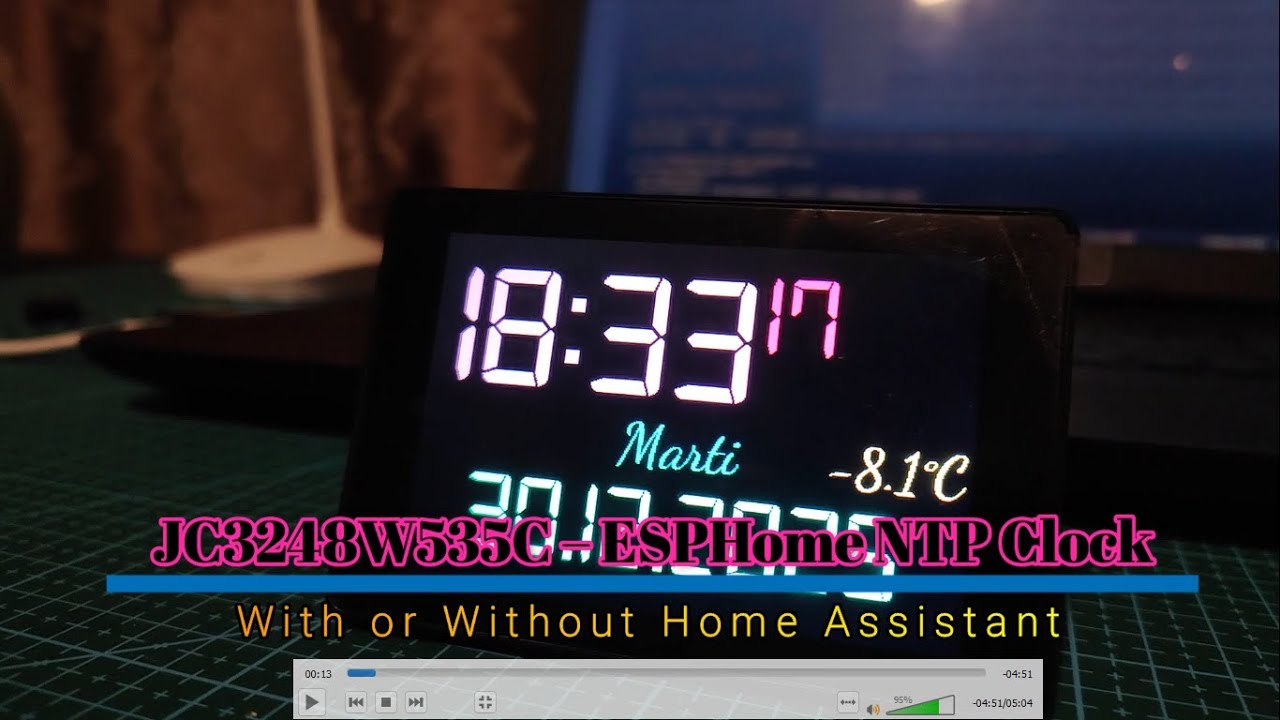
This project showcases an NTP‑synchronized clock built using the JC3248W535C display module and fully powered by ESPHome. The device retrieves accurate time from NTP servers, renders it on a 3.5" TFT display, and integrates seamlessly with Home Assistant for monitoring and automation.
The firmware is written entirely in YAML and includes:
- real‑time NTP synchronization
- custom layout for time, date, and weekday
- support for custom fonts and image assets
- smooth visual transitions and clean UI elements
- optional Home Assistant sensors and data integration
This repository contains all required resources: ESPHome configuration, display assets, fonts and setup instructions. The project is designed to be easy to reproduce, customize, and extend.


-
Accurate NTP time synchronization
Retrieves time from reliable NTP servers with automatic periodic updates. -
Custom UI layout
Displays time, date, weekday, and additional visual elements using a clean, modern design. -
High‑quality JC3248W535C TFT display
Utilizes the 3.5" IPS panel with crisp rendering and smooth transitions. -
ESPHome‑based firmware
Fully configurable in YAML, easy to modify, extend, and integrate with other devices. -
Home Assistant integration
Exposes sensors, states, and optional controls directly to Home Assistant. -
Custom fonts and image assets
Supports embedded PNGs, icons, and multiple font weights for a polished UI. -
Low power consumption
Efficient ESP32 operation suitable for 24/7 uptime. -
Easy to reproduce
Includes wiring diagrams, assets, and configuration files for straightforward assembly.
This project uses the JC3248W535C all‑in‑one module, which includes:
- ESP32‑S3 MCU (integrated on board)
- 3.5" TFT Display (480×320)
- Factory‑wired connections between MCU and display
- On‑board power regulation and connectors
No manual wiring is required — the module comes fully assembled and ready to flash with ESPHome.
Additional items:
- USB‑C cable for flashing and powering the device
- 5V USB power source
- Optional enclosure for protection and aesthetics
Download for Windows: https://www.python.org/downloads/windows/
Make sure to check “Add Python to PATH” during installation.
pip install esphome==2025.11.0
OR if you already have it installed upgrade/downgrade to the following version using:
pip install --upgrade esphome==2025.11.0
git clone https://github.com/DaradiciLevente/JC3248W535C-EspHome-NTP-Clock.git
Wi‑Fi credentials are stored in secrets.yaml:
wifi_ssid: "YOUR_WIFI_NAME"
wifi_password: "YOUR_WIFI_PASSWORD"
esphome run ceas.yaml
Once the ESP32 boots and connects to Wi‑Fi:
• Open Home Assistant.
• Go to Settings → Devices & Services.
• Home Assistant will automatically detect the ESPHome device.
The dashboard will now appear as a device with entities.
This project exposes two Home Assistant entities for controlling the display:
A simple ON/OFF switch that controls whether the display is illuminated.
You can use it to:
• Turn the display ON when motion is detected
• Turn the display OFF at night so it doesn’t disturb sleep
• Manually toggle the screen from the HA dashboard
• Integrate it into automations, scenes, or scripts
A dedicated brightness control slider allows you to adjust the display intensity directly from Home Assistant.
This makes it possible to:
• Dim the display in the evening
• Increase brightness during the day
• Create smooth transitions using automations
• Match brightness to ambient light or time of day
• If any motion sensor in the room detects movement → turn on backlight
• If no motion for 30 seconds → turn off backlight
• At night (23:00–07:00) → keep backlight off unless manually enabled
This makes the dashboard behave like a smart, presence‑aware control panel.
This project includes three different versions of the NTP clock, each provided as a separate YAML file:
File: ceas.yaml
A lightweight standalone clock.
The background color changes when the display is touched.
File: ceaswithtemp.yaml
Integrates with Home Assistant and displays additional data such as outdoor temperature.
File: ceaswithtempbackground.yaml
Uses multiple background images that change each time the display is touched.
This project is released as open‑source software.
You are free to use, modify, and extend the code and assets included in this repository, as long as you respect the terms of the chosen license.
All YAML configurations, images, fonts, and documentation are provided for educational and personal use.
Commercial use is allowed only if permitted by the license you select.
If you fork or redistribute this project, please include proper attribution to the original author.