Python injector for Toontown Sunrise Games.
⚠️ This tool only works with Toontown Sunrise. It will not work on other servers and is not intended for use on any server where client modifications are prohibited.
Uses the same DLL hook as the original TeamFD injector — patching PyEval_EvalCode in python24.dll to intercept the game's Python interpreter. The original Win32 GUI has been replaced with a new PyQt5 dashboard with a working debug console.
If you prefer the original Win32 GUI, a decompiled and updated version of the old TeamFD DLL is included in Source/decompiled TeamFD Injector/ — screenshots of both the original and updated versions are in there too.
TTsunriseInjector.exe is the injector with a new UI — it launches Toontown launcher, waits for the game to load, and automatically hooks to the game PID. It also automatically reinjects to a new game process if the game crashes or closes.
- Toontown Sunrise installed at:
C:\Program Files (x86)\Disney\Disney Online\ToontownOnline\ - Windows
- Run as Administrator
- Download
TTsunriseInjector.7zfrom the Releases page - Extract the archive — it contains
TTsunriseInjector.exe,toonbot\, andTaskBot\ - Copy
toonbot\andTaskBot\into your Toontown install directory (both folders are required):ToontownOnline\ ├── toonbot\ │ ├── ToonBot.py │ ├── scripts\ │ ├── libs\ │ └── Injectables\ └── TaskBot\ - Place
TTsunriseInjector.exeanywhere and run as Administrator
pip install pyinstaller pyqt5
pyinstaller --onefile --windowed --add-data "Source/TTHook.dll;TTInjector" Source/app.py -n ModdedLauncher
Copy game\toonbot\ and game\TaskBot\ into your Toontown install directory as above.
-
Run
TTsunriseInjector.exeas Administrator -
Log in through the Toontown launcher normally
-
The injector waits ~15 seconds for the game to load, then injects and opens the dashboard
-
Console will show
[+] bridge live on :8888when ready -
Write or load a script in the editor and press Ctrl+Enter to run it in-game
-
Also work if you already have the game opened.
| Panel | Description |
|---|---|
| Scripts sidebar | Browses toonbot\Injectables\ — double-click any .py / .txt to load it |
| Editor | Write Python 2.4 code to execute inside the running game |
| Console | Live output — green [done] on success, red [error] + full traceback on failure |
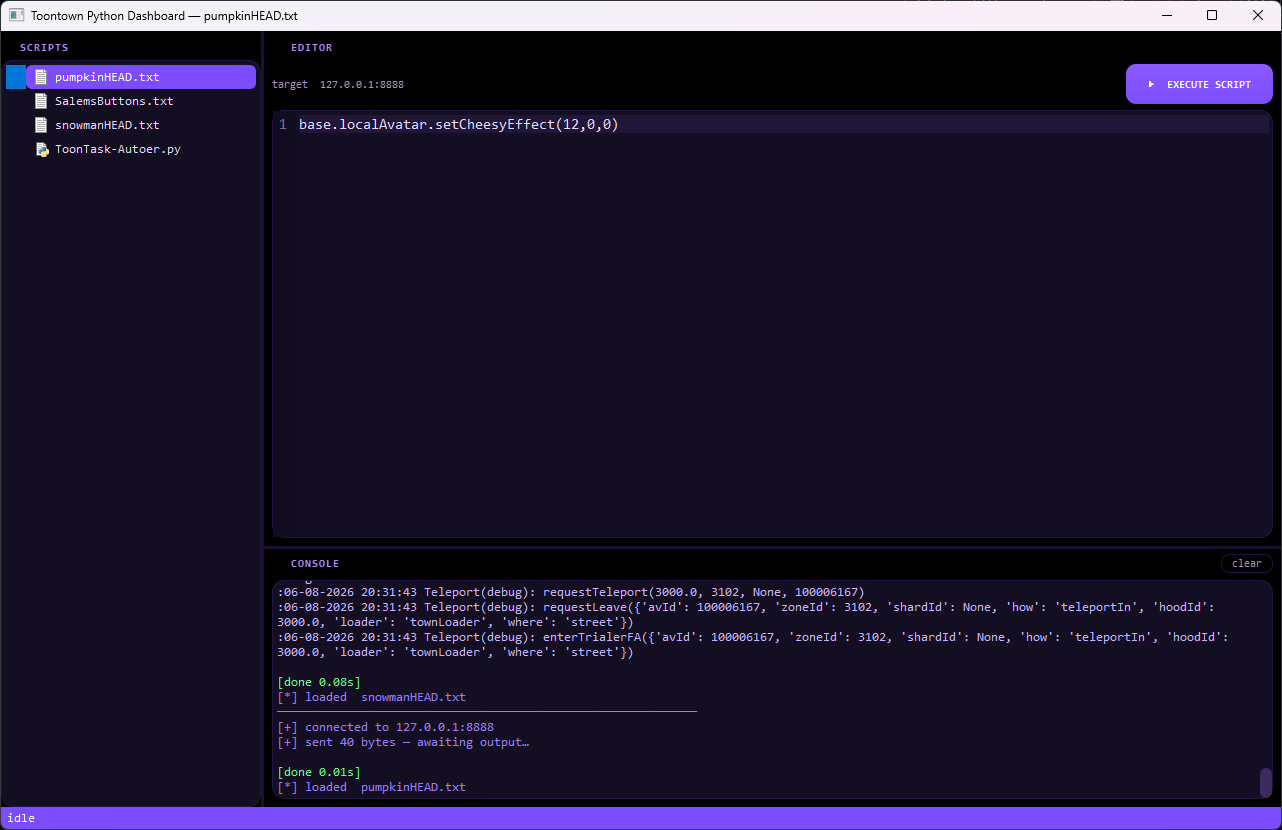
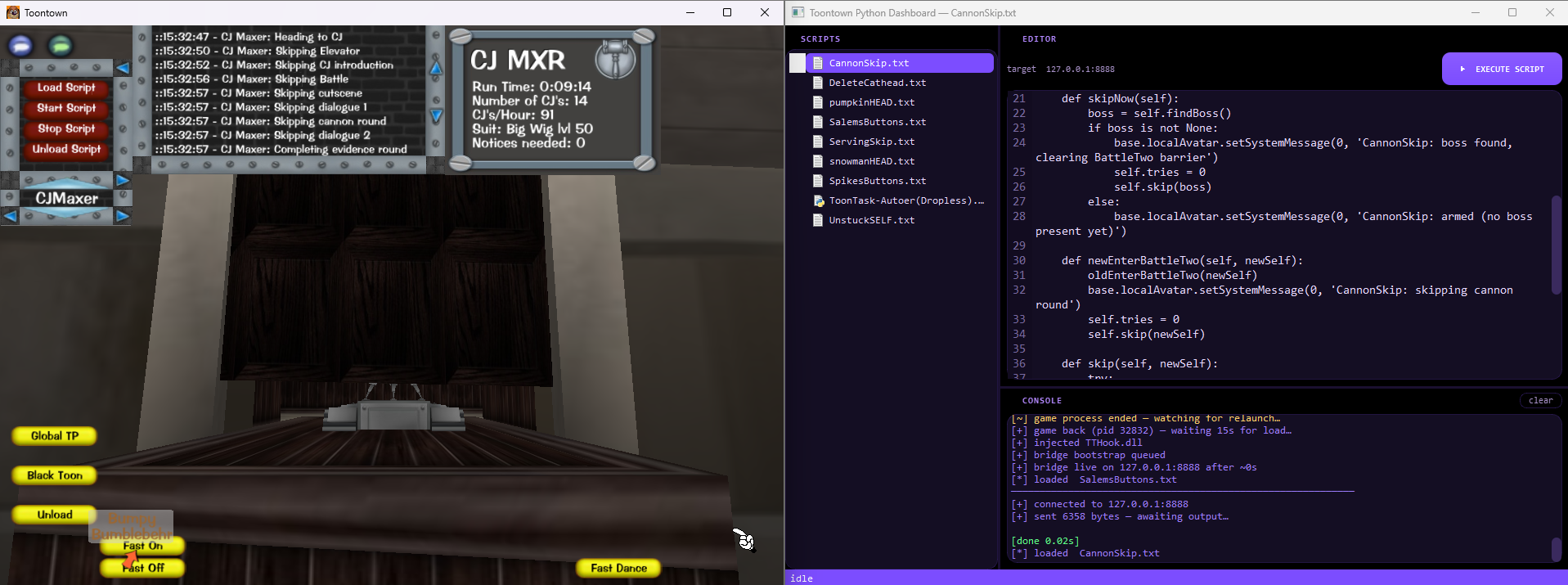
The install includes ToonBot and its TaskBot — a collection of automation scripts for boss battles, gag training, ToonTasks, and more. The toonbot\scripts\ folder is left in as a reference and base to build from.
These appear in the dashboard sidebar. A few example scripts are included — you can add your own .txt files here to quickly load and run any injector code instead of needing to copy and paste a code everytime. For more scripts, browse the Scrap repo.
| Script | What it does |
|---|---|
ToonTask-Autoer.py |
freshollie task autoer, requires TaskBot folder in main game folder. |
SalemsSimpleButtons.txt |
A few buttons |
pumpkinHEAD.txt / snowmanHEAD.txt |
Cosmetic head |
- Original DLL injector: TeamFD
- ToonBot (in-game GUI framework): freshollie
- Rewrite & dashboard: SSalem00