
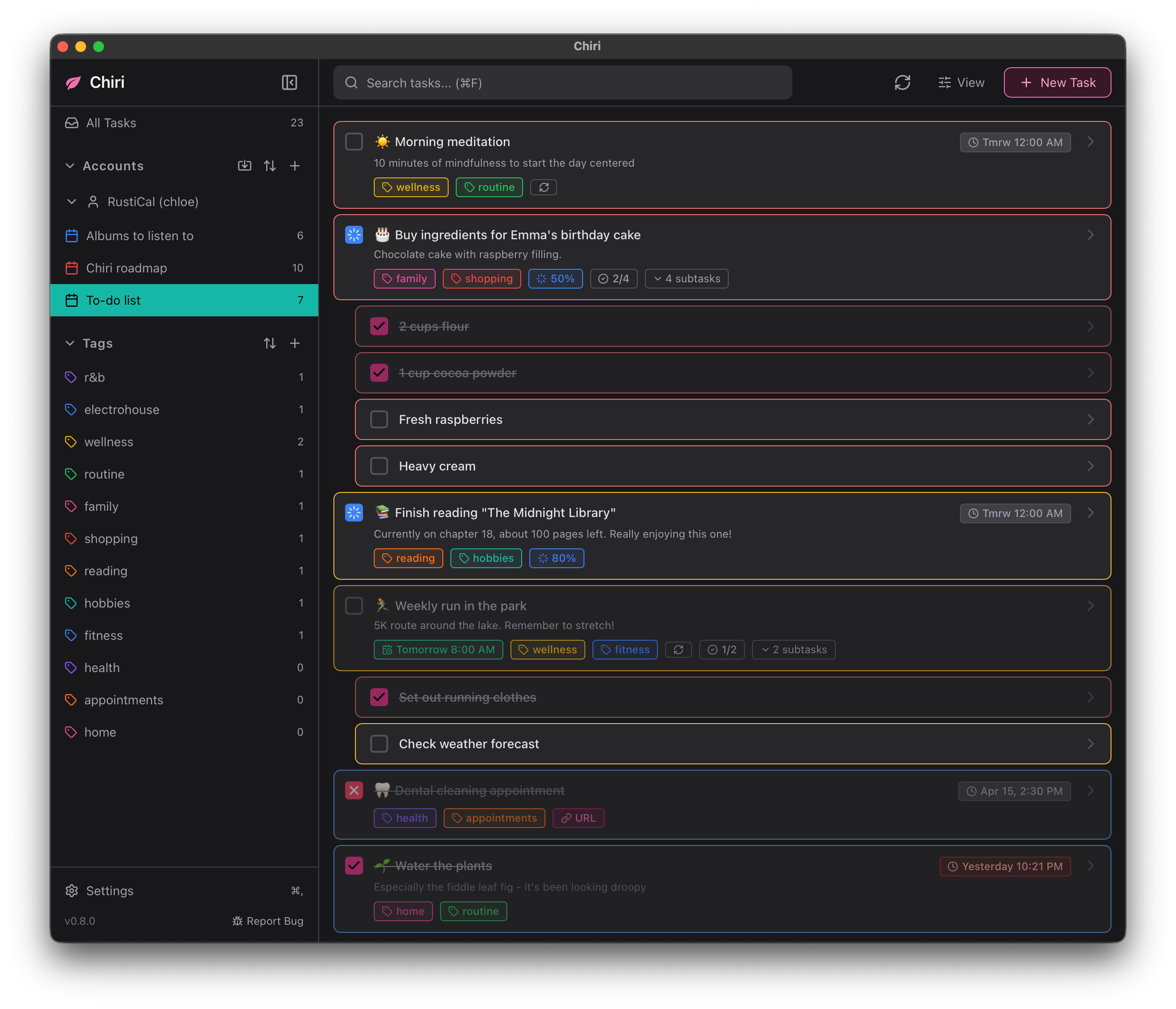
🍃 Cross-platform CalDAV-compatible task management app.
Download · Donate · Compatibility · Code signing · License · Privacy · Security


Important
Though the app is functional, it is currently still in active development so you might encounter bugs here and there.
If you do, file a bug report and let me know.
You can download pre-built binaries of the application for each platform below.


This method installs Chiri to the Program Files directory. Requires UAC.


Pick this if you don't have UAC permissions.
scoop bucket add chiri https://github.com/chiriapp/chiri-scoop

scoop install chiri/chiri

Pick the button for your Mac system architecture.
brew install --cask chiriUse nixpkgs
# flake.nix
{
  inputs = {
    nixpkgs.url = "github:NixOS/nixpkgs/nixos-unstable";
    darwin = {
      url = "github:LnL7/nix-darwin";
      inputs.nixpkgs.follows = "nixpkgs";
    };
  };
  outputs = { darwin, ... }: {
    darwinConfigurations.your-macbook = darwin.lib.darwinSystem {
      system = "aarch64-darwin"; # Or "x86_64-darwin"
      modules = [
        ({ pkgs, ... }: {
          environment.systemPackages = [
            pkgs.chiri
          ];
        })
      ];
    };
  };
}On macOS, default uses the signed/notarized bin package to avoid woes with Gatekeeper. Use source to build from source.
Track this repo
# flake.nix
{
  inputs = {
    nixpkgs.url = "github:NixOS/nixpkgs/nixos-unstable";
    darwin = {
      url = "github:LnL7/nix-darwin";
      inputs.nixpkgs.follows = "nixpkgs";
    };
    chiri = {
      url = "github:chiriapp/chiri";
      inputs.nixpkgs.follows = "nixpkgs";
    };
  };
  outputs = { darwin, chiri, ... }: {
    darwinConfigurations.your-macbook = darwin.lib.darwinSystem {
      system = "aarch64-darwin"; # Or "x86_64-darwin"
      modules = [
        ({ pkgs, ... }: {
          environment.systemPackages = [
            chiri.packages.${pkgs.system}.default
            # Or: chiri.packages.${pkgs.system}.source
          ];
        })
      ];
    };
  };
}


Chiri is available on the AUR (Arch User Repository) in two variants:
yay -S chiriyay -S chiri-binChiri is available from nixpkgs, and this repository also exposes a flake if you want to track master.
environment.systemPackages = [
  pkgs.chiri
];NixOS flake example
# flake.nix
{
  inputs = {
    nixpkgs.url = "github:NixOS/nixpkgs/nixos-unstable";
    chiri = {
      url = "github:chiriapp/chiri";
      inputs.nixpkgs.follows = "nixpkgs";
    };
  };
  outputs = { nixpkgs, chiri, ... }: {
    nixosConfigurations.your-hostname = nixpkgs.lib.nixosSystem {
      system = "x86_64-linux"; # Or "aarch64-linux"
      modules = [
        ({ pkgs, ... }: {
          environment.systemPackages = [
            chiri.packages.${pkgs.system}.default
            # Or: chiri.packages.${pkgs.system}.source
          ];
        })
        # ... etc
      ];
    };
  };
}
Home Manager
{ pkgs, inputs, ... }:
{
  home.packages = [
    inputs.chiri.packages.${pkgs.system}.default
    # Or: inputs.chiri.packages.${pkgs.system}.source
  ];
}If you found Chiri useful, please consider donating!
I work on Chiri during my free time as a student, so every amount, however small, helps with rent and food costs. Thank you :)


See ↗ COMPATIBILITY.md for compatibility with CalDAV servers and more.
Free code signing on Windows is graciously provided by ↗ SignPath.io, certificate by the ↗ SignPath Foundation.
See ↗ CODE_SIGNING.md for the full code signing policy.
Chiri is licensed under the ↗ zlib/libpng license.
See ↗ PRIVACY.md for details on what data Chiri processes and how.
Found a security issue? Please report it privately. See ↗ SECURITY.md for details.


