
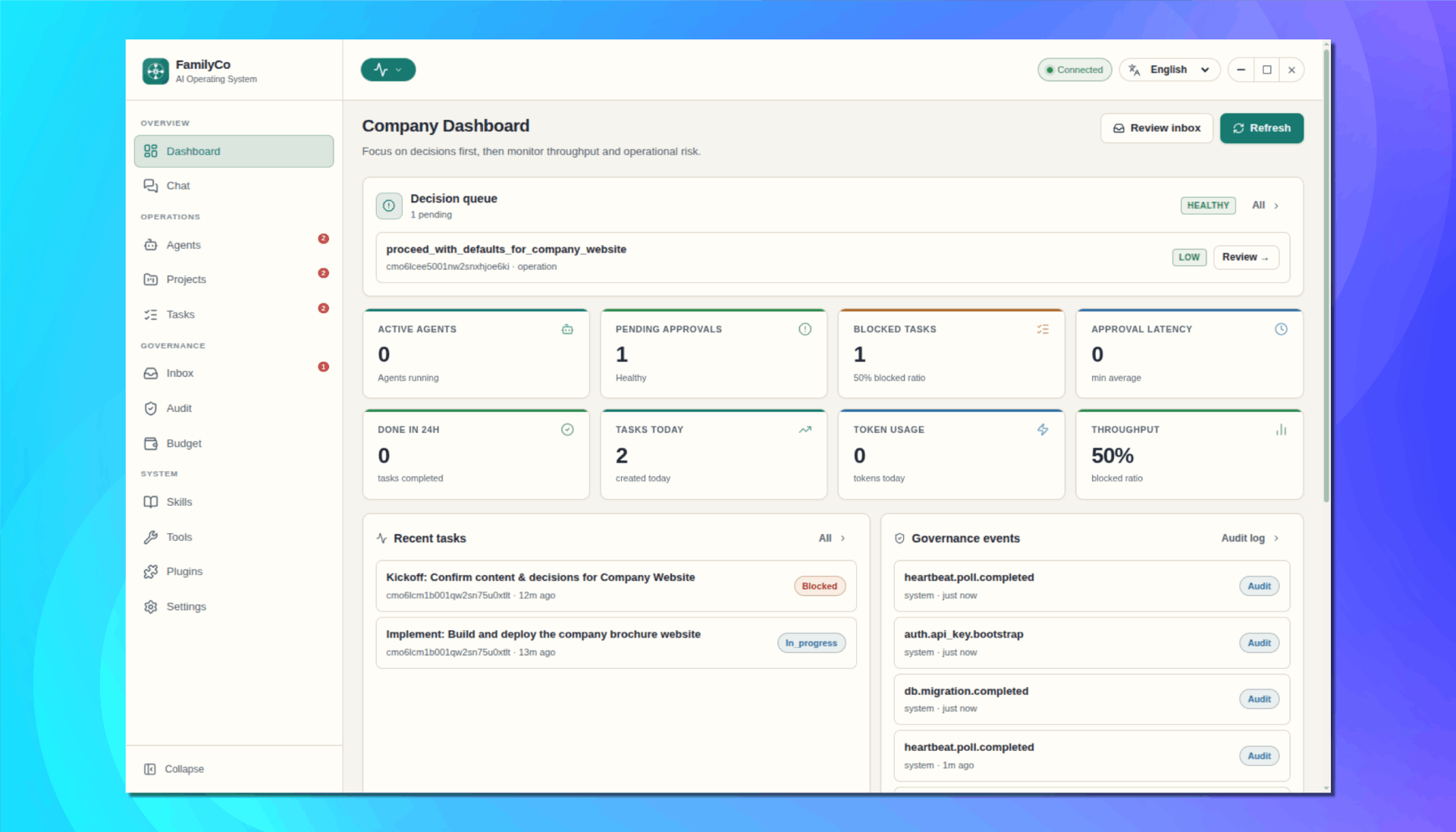



FamilyCo is an operating system for your own “AI family business” — each agent works like a member of the company, collaborating, sharing the workload, and handling day-to-day operations so you can stay focused on the bigger decisions.
If you just want to use FamilyCo, install a release build.
- You do not need Node.js, pnpm, or terminal commands.
- Download from: https://github.com/omaicode/familyco/releases
- Windows: download the
.exefile. - macOS: download the
.dmgfile. - Linux: download the
.AppImagefile.
- Windows: run the installer and follow the setup wizard.
- macOS: open
.dmg, drag FamilyCo to Applications, then open it. - Linux: make the
.AppImageexecutable, then run it.
- If your OS shows a security warning, choose the option to continue/open anyway.
- Keep the app connected to the internet for AI provider features.
- You can update later by downloading a newer release from the same page.
- Chat-first directive to execution flow.
- Agent hierarchy (executive, manager, worker) with controllable autonomy.
- Structured operations across Projects, Tasks, and Inbox approvals.
- Full Audit Log and token/cost Budget tracking.
- Desktop-first local runtime (SQLite + Prisma) with web client support.
apps/
	electron/           Desktop shell
	server/             Fastify API + orchestration + runtime modules
	web/                Vue 3 operational client
packages/
	core/               Domain rules, DTOs, validation contracts
	agent-runtime/      Planner, tool execution flow, approval gate
	db/                 Prisma schema, migrations, DB wrappers
	ui/                 Shared UI contracts, stores, i18n
plugins/                Plugins, each plugin included tools & skills
base/ - Business logic belongs in
packages/core. packages/coremust not import other internal packages.- Side effects with significant impact must go through approval flow.
- Database access should go through repository abstractions.
- Prisma schema is the persistence contract.
If you are not developing the codebase, use the release install steps above instead.
- Node.js 22 LTS
- pnpm 10
pnpm installcp .env.example .env
cp apps/web/.env.example apps/web/.envNotes:
apps/web/.envis primarily needed when running web standalone.- Default local server URL is
http://127.0.0.1:4000.
pnpm devDefault local endpoints:
- Web:
http://127.0.0.1:5173 - Server:
http://127.0.0.1:4000
pnpm dev:electronThis command builds required workspace packages and starts web + electron runtime.
| Goal | Command |
|---|---|
| Run server + web | pnpm dev |
| Run web + electron | pnpm dev:electron |
| Build all packages | pnpm build |
| Build electron | pnpm build:electron |
| Run all tests | pnpm test |
| Typecheck all packages | pnpm typecheck |
| Generate Prisma client | pnpm prisma:generate |
| Run Prisma migration | pnpm prisma:migrate |
Package-scoped examples:
pnpm --filter @familyco/server dev
pnpm --filter @familyco/web dev
pnpm --filter @familyco/electron devRun these checks at minimum:
pnpm -w typecheck
pnpm --filter @familyco/server test
pnpm --filter @familyco/web build
If your change has broader impact, run:
pnpm build
pnpm testKey variables in .env:
PORT: Fastify HTTP port (default4000).API_PREFIX: API namespace (default/api/v1).FAMILYCO_REPOSITORY_DRIVER:prismaormemory.DATABASE_URL: SQLite path used by Prisma.FAMILYCO_QUEUE_DRIVER: queue mode (defaultmemory).FAMILYCO_API_KEY,JWT_SECRET,API_KEY_SALT: security secrets.
Renderer-related variables are in apps/web/.env (VITE_API_BASE_URL, VITE_API_KEY, VITE_BEARER_TOKEN).
- Founder sends a directive in Chat.
- Server creates an agent run.
- Executive Agent creates or updates Projects/Tasks.
- Skills are selected from enabled toolset.
- Risky or ambiguous actions pause into Inbox approval.
- Approved runs continue; Budget and Audit are recorded end-to-end.
- Product goals:
.github/docs/02-PRD.md - Architecture:
.github/docs/03-ARCHITECTURE.md - Domain entities:
.github/docs/04-DOMAIN_MODEL.md - Module contracts:
.github/docs/05-MODULE_SPECS.md - Agent behavior:
.github/docs/06-AGENT_OPERATING_MODEL.md - Approval policy:
.github/docs/07-APPROVAL_POLICY.md - Coding rules:
.github/docs/09-CODING_RULES.md
- If port
4000is in use, stop stale server processes and rerunpnpm dev. - If Electron native modules mismatch appears after Node/runtime changes, run
pnpm --filter @familyco/electron rebuild:nativeand restart desktop mode.