
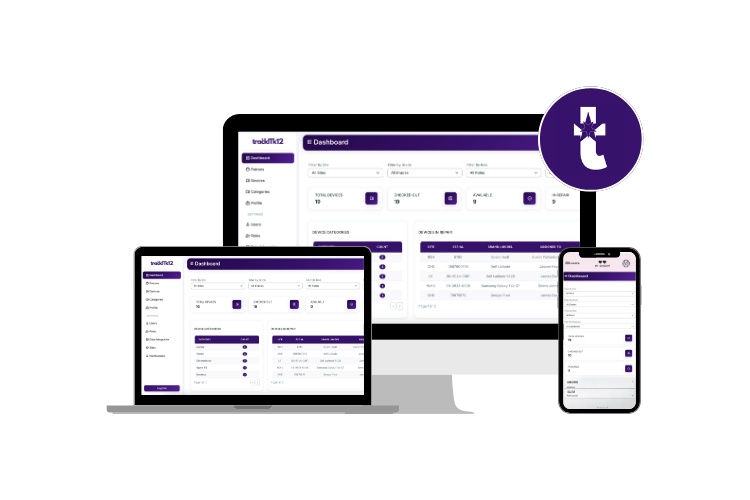
TrackITK12 is a web-based device inventory and checkout tracking system designed for K-12 school districts. It helps IT staff manage device assignments, track repairs, monitor availability, and maintain an audit trail of all device activity — built with Flask and Bootstrap 5.
- Device inventory: Add, edit, and track devices (Chromebooks, laptops, tablets, etc.) by serial number, asset tag, brand, and model.
- Checkout & return tracking: Assign devices to patrons (students/staff) and record checkout and return dates.
- Patron management: Manage students and staff who borrow devices, with badge ID, grade, site, and guardian info.
- Repair tracking: Mark devices as in-repair and log repair notes with timestamped comments.
- Audit trail: Every field change on a device is recorded — who changed it, when, and what the old and new values were.
- Bulk uploads: Import devices, patrons, users, and sites from CSV files.
- Site management: Organize devices and users by school site.
- Role-based access: Admin, Specialist, and Technician roles control what users can see and do.
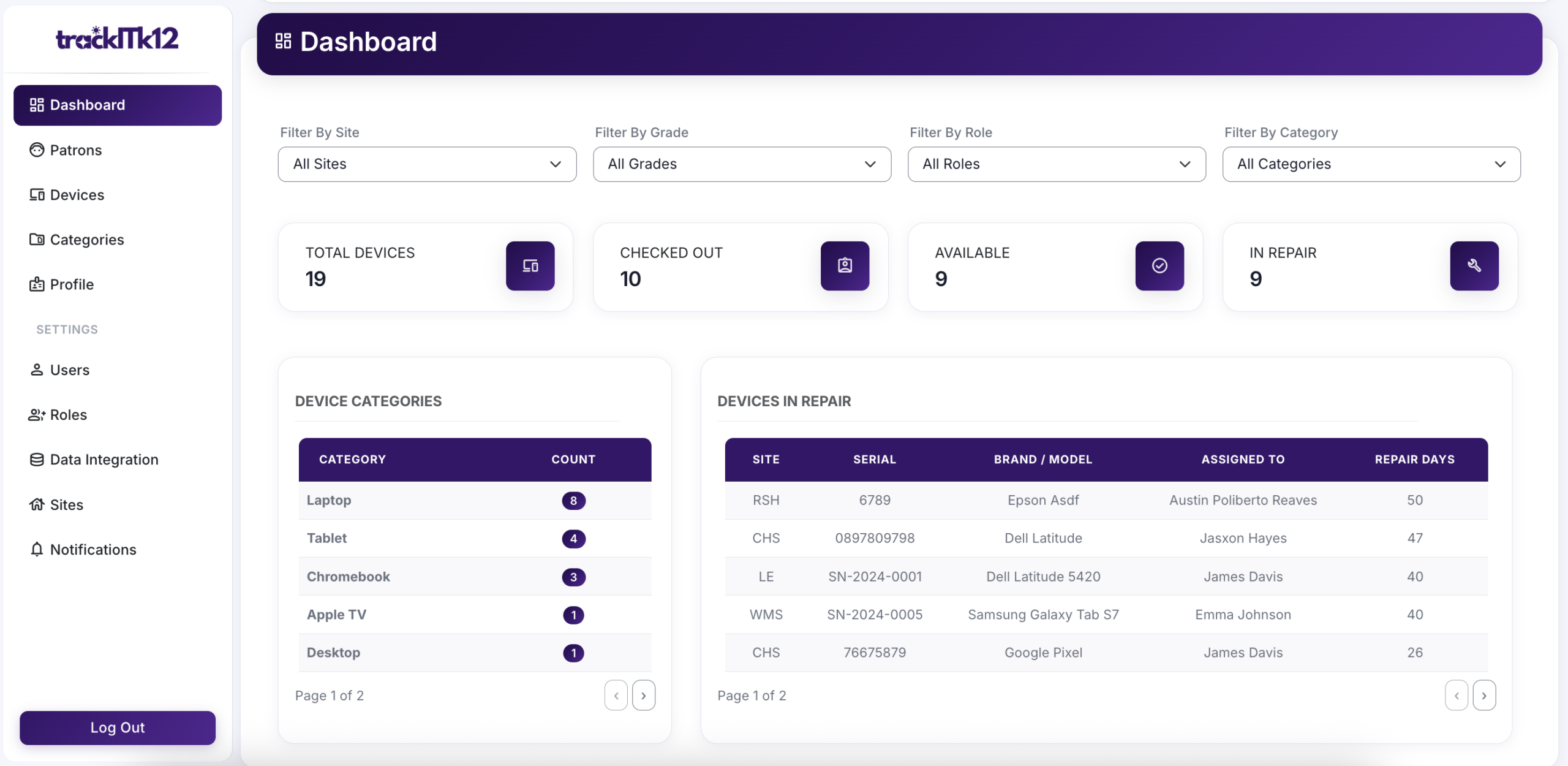
- Dashboard: Overview of total devices, checked-out count, available count, in-repair count, and per-site breakdowns.
- Email notifications: Configurable email alerts via Flask-Mail (SMTP).
- FTP export: Scheduled FTP export of data with configurable days, time, and date range.
- Python 3.12.x
- Flask 3.1.0
- SQLite (development) / MySQL (production)
- See
pyproject.tomlfor a complete list of dependencies.
- Git
- UV — ultra-fast Python package manager
- Python 3.12.x
- Development: SQLite (included with Python — no additional install needed)
- Production: MySQL Server
git clone https://github.com/victorhugo81/trackitk12
cd trackitk12Windows:
uv venv .venv.venv\Scripts\activateMacOS/Linux:
uv venv .venvsource .venv/bin/activateuv syncImportant: Don't commit your
.envfile to version control. Make sure it's added to.gitignoreto protect sensitive information.
Run the setup script to generate your .env file:
cd installation
python create_env.py
Edit the generated .env file with your actual values:
# Flask secret key — use a long random string
SECRET_KEY=your_secure_random_key_here

# MySQL (production)
# DATABASE_URL=mysql+pymysql://username:password@localhost/trackitk12
Run the seed script to create tables and populate initial lookup data (roles, categories, organization defaults):
python seed_data.pycd ..
flask --app main.py runOpen your browser and navigate to: http://127.0.0.1:5000
Enter your admin email and password.
- Passwords must be at least 10 characters and include letters, numbers, and special characters.
- First-time users prompted with
must_change_passwordwill be redirected to change their password on login.
The dashboard shows key stats at a glance:
- Total devices, checked-out, available, and in-repair counts
- Per-site device breakdown
- Recent checkout activity
- Browse and filter the full device list
- Click a device to view or edit its details
- Assign a device to a patron using the patron search modal
- Mark a device as in-repair and log repair notes
- View the complete audit trail of all field changes
- Go to Devices and open the device record.
- Use the patron search to find and select the patron.
- Save the record — the checkout timestamp is recorded automatically.
- Open the device record.
- Click Return Device — the return timestamp is recorded.
- Add and manage students and staff who borrow devices.
- View all devices currently assigned to a patron on their detail page.
- Use the assign-device modal directly from the patron detail page.
Admin and tech users can upload CSV files to bulk-import:
- Devices — serial number, asset tag, brand, model, category, site
- Patrons — badge ID, name, grade, site, guardian info
- Users — staff accounts
- Sites — school site records
Navigate to the Bulk Upload section in the sidebar and download the CSV template for the correct column format.
- Organization: Set organization name, logo, and email/FTP configuration.
- Sites: Manage school sites.
- Roles: Define user roles (Admin, Specialist, Technician, etc.).
- Categories: Manage device categories (Chromebook, Laptop, iPad, etc.).
- Notifications: Configure system-wide notification messages.
- Users: Create and manage staff accounts.
- For SQLite: confirm
DATABASE_URL=sqlite:///app.dbis set in.envand themigrations/folder is present. - For MySQL: ensure your MySQL server is running and the credentials in
.envare correct.
flask db upgradeIf migrations are out of sync, try:
flask db stamp head
flask db migrate
flask db upgradeuv sync- Set
DATABASE_URLto a MySQL connection string in.env. - Set
SECRET_KEYto a strong random value — the app will raise an error at startup if it detects the default dev key. - Set
FLASK_ENV=productionin your server environment so the app boots withProductionConfig. - Install dependencies and start Gunicorn (included in
pyproject.toml):uv sync uv run gunicorn -w 4 "main:create_app()" - Set up a reverse proxy with Nginx or Apache.
- Enable HTTPS —
SESSION_COOKIE_SECUREis automatically set toTrueinProductionConfig.
We welcome contributions!
- Fork the repository.
- Create a feature branch:
git checkout -b feature/your-feature-name
- Commit your changes:
git commit -m "Add: description of your changes" - Push and open a pull request:
git push origin feature/your-feature-name
trackitk12_dev/
├── application/
│   ├── __init__.py
│   ├── models.py          # SQLAlchemy models
│   ├── forms.py           # Flask-WTF forms
│   ├── routes.py          # All app routes (blueprints)
│   ├── utils.py           # Encryption, hashing helpers
│   ├── static/
│   │   ├── css/
│   │   ├── js/
│   │   └── img/
│   └── templates/
│       ├── includes/
│       │   ├── footer.html
│       │   └── nav.html
│       ├── base.html
│       ├── index.html              # Dashboard
│       ├── login.html
│       ├── devices.html            # Device list
│       ├── add_device.html
│       ├── edit_device.html        # Device detail + repair comments + audit trail
│       ├── patrons.html            # Patron list
│       ├── add_patron.html
│       ├── edit_patron.html
│       ├── patron_details.html     # Patron detail + assigned devices
│       ├── users.html
│       ├── add_user.html
│       ├── edit_user.html
│       ├── change_password.html
│       ├── sites.html
│       ├── add_site.html
│       ├── edit_site.html
│       ├── roles.html
│       ├── add_role.html
│       ├── edit_role.html
│       ├── categories.html
│       ├── add_category.html
│       ├── edit_category.html
│       ├── notifications.html
│       ├── add_notification.html
│       ├── edit_notification.html
│       ├── organization.html
│       ├── profile.html
│       ├── bulk_upload_devices.html
│       ├── bulk_upload_patrons.html
│       ├── bulk_upload_data.html
│       └── error.html
├── installation/
│   ├── create_env.py      # Generates .env file
│   └── seed_data.py       # Seeds initial DB data
├── migrations/            # Alembic migration files
├── tests/
├── main.py                # App entry point
├── config.py              # Dev / Prod / Testing configs
├── requirements.txt
└── pyproject.toml
TrackITK12 is licensed under the GNU General Public License v3. See the LICENSE file for details.
For questions or suggestions, open an issue on GitHub or email: contact@victorhugosolis.com
TrackITK12 is under active development and may contain bugs or limitations. Feedback and contributions are welcome.