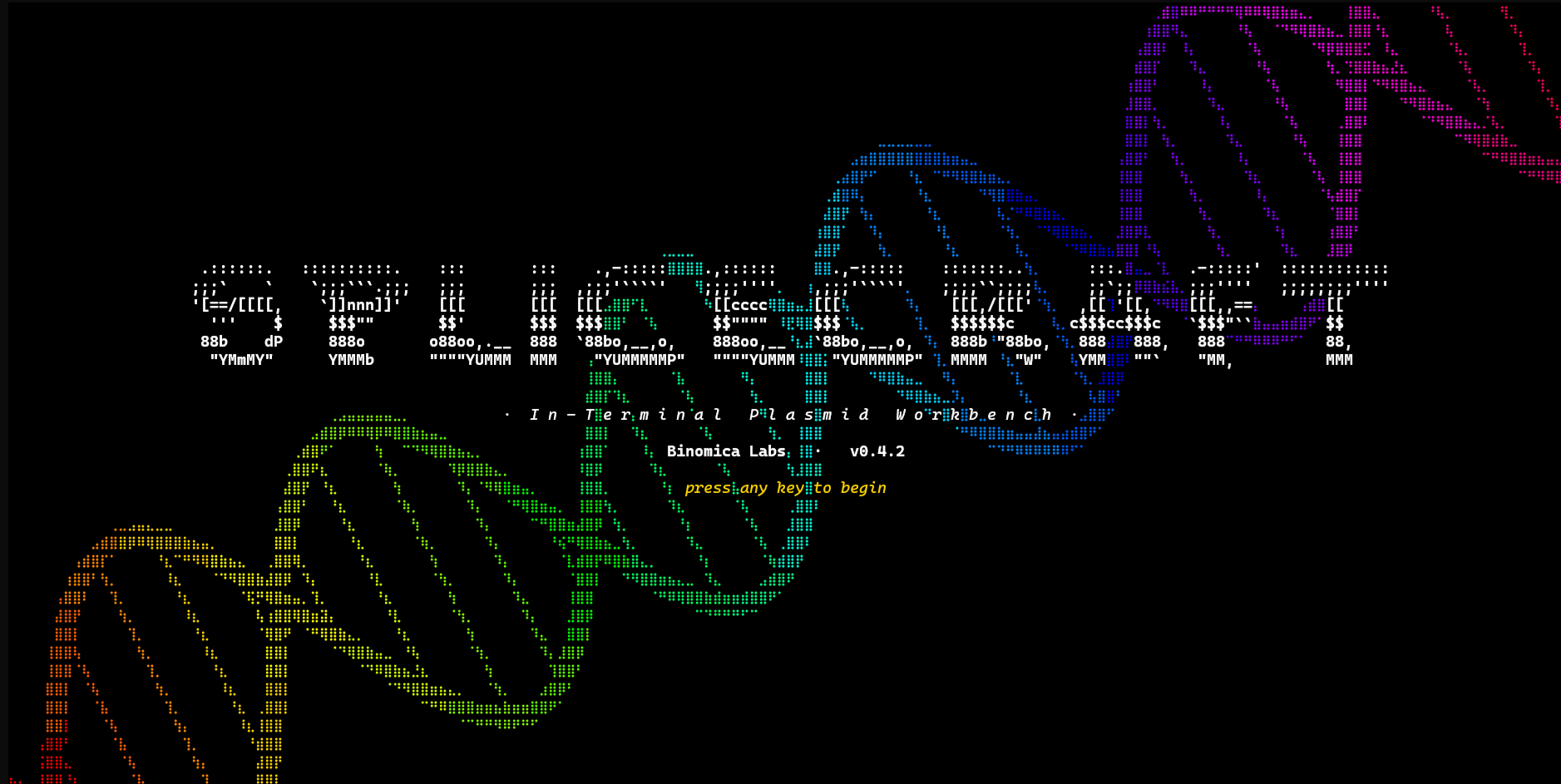








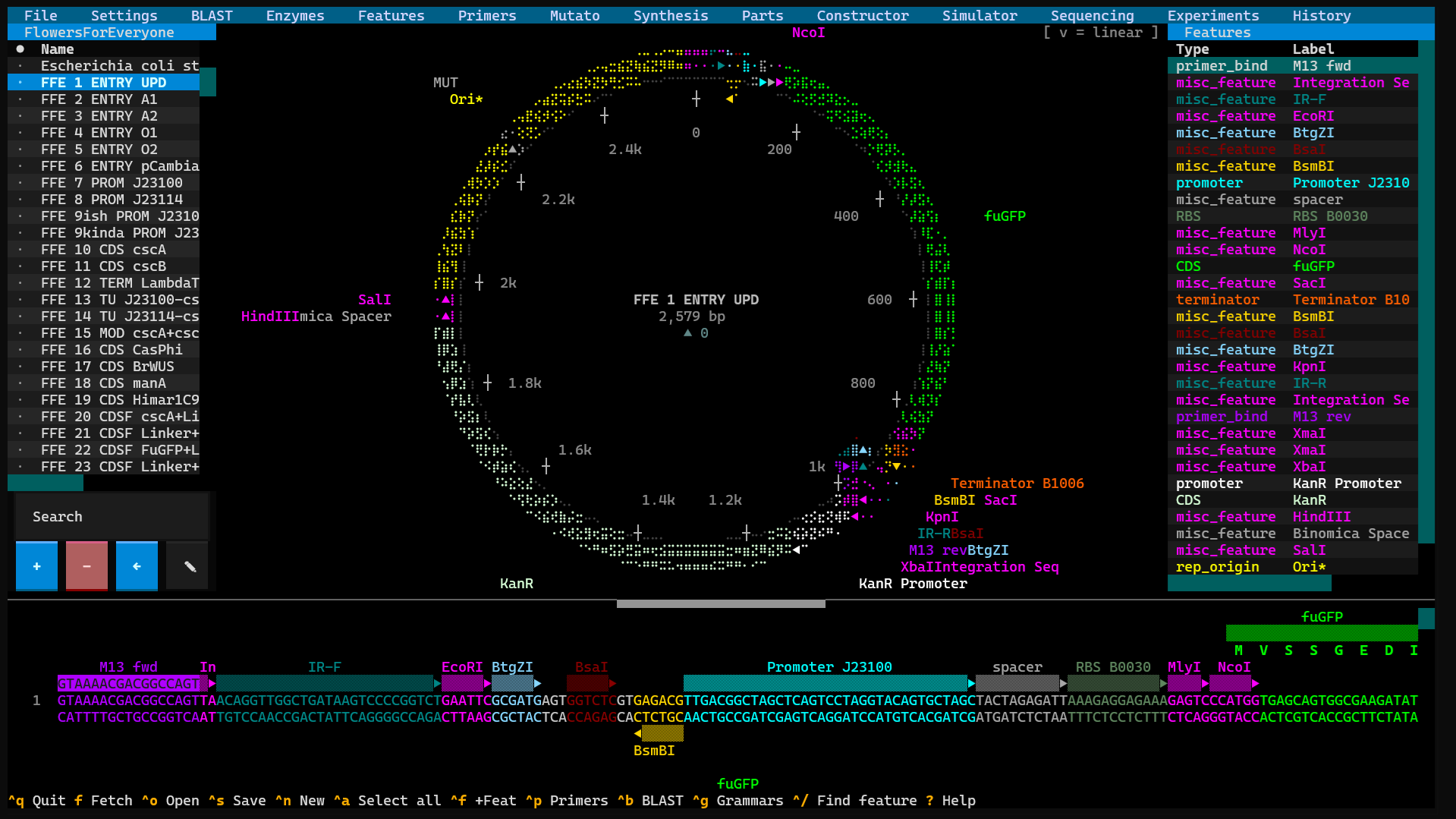
SpliceCraft is a plasmid workbench that runs where you already work. Open a map, edit the sequence, design primers, plan a Golden Braid or MoClo assembly, BLAST a hit, check your Sanger reads, and keep a lab notebook — all from the keyboard, all in one place, no browser tab and no cloud account. Circular and linear maps render as crisp Unicode braille graphics in any modern terminal, and nothing leaves your machine unless you ask it to.
It's built by a practicing bioengineer for daily bench work: the bug reports come from real cloning, and so do the fixes. If you live in a terminal and clone for a living, it's meant to feel like home.
Why give it a try:
- Fast and local. No Electron, no web app, no login.
pipx install splicecraftand you're designing in seconds. - It does the whole job. View → edit → design → clone → simulate → verify → document — one tool that actually understands how those steps connect.
- It guards your data like it's irreplaceable (because it is — see below).
- It's scriptable. A 100+ endpoint local API and a stdlib CLI let an agent or a shell script drive every workflow.
pipx install splicecraft
splicecraft                      # empty canvas
splicecraft L09137               # fetch pUC19 from NCBI on launch
splicecraft myplasmid.gb         # local GenBank or .dna
Press ? once running for the full keyboard-shortcut reference. See
docs/install.md for pip / uv / conda / source installs.
Your plasmid library is the product of months — sometimes years — of work. SpliceCraft is engineered so it can be your daily driver without ever making you nervous about it. Three promises, and the receipts behind them:
Your data is sacred. Every save runs through a four-layer safety net: an
atomic write (a crash can never leave a half-written file), a .bak plus
rotating timestamped backups, a daily snapshot, and a "suspicious shrink"
guard that flat-out refuses to replace a 156 MB library with an empty file.
Open a file that collides with something you already have and SpliceCraft
asks — skip, keep a copy, or overwrite — it never clobbers your work behind
your back. Before any self-update it snapshots everything to a sibling
directory first, so even a hypothetical bug in a new version can't take your
recovery copy with it.
The biology is correct, and we prove it. Restriction scanning handles
palindromes, Type IIS enzymes, and origin-spanning cut sites the way a bench
scientist expects; features that wrap the origin survive every edit;
translation (including non-standard genetic codes via /transl_table),
reverse-complement, and IUPAC matching are pinned down to the base.
Selection markers are read from the actual entry vector you're using —
no hardcoded antibiotics quietly mislabeling a construct. There are
4,000+ automated tests behind all of it, plus property-based fuzzing on
the biology primitives, crash-injection tests on the save path, and
concurrency fuzzing on the data layer. Every release ships only when the
whole suite is green.
We go looking for trouble. The codebase is governed by a long list of
"sacred invariants" (documented in CLAUDE.md), and each
release is preceded by deep, multi-pass audits hunting for edge cases,
data-loss windows, race conditions, and security gaps — with every finding
verified against the real code before a line is changed. The short version:
it's a workhorse, and it goes to real lengths to keep "it just works" true.
Full data-safety writeup: docs/data-safety.md ·
Security policy: SECURITY.md.
Everything lives behind a menu bar across the top of the screen. Here's the tour — starting with BLAST and working rightward across the bar, with the housekeeping menus (File, Settings) saved for last.
Search without leaving the app (Ctrl+B). The Local tab runs BLASTN /
BLASTP / HMMscan against your own library with an in-process engine — powered
by pyhmmer, so there's no external blast+ to install — and a one-click
downloader pulls Pfam-A or NCBIfam (or any HMMER3 .hmm.gz URL) with
automatic update-detection, no wget + hmmpress ritual. The Online tab
sends DNA / RNA / protein — or a whole plasmid or a single feature straight
from your library — to NCBI (blastn / blastp / blastx / tblastn / tblastx) or
to Pfam at EMBL-EBI, and drops the hits into a scrollable table just like a
web BLAST. A live spinner and poll counter prove the search is really running,
and Cancel actually stops it.
Drive the restriction overlay: show all sites, unique cutters only, 6+ or 4+ bp recognition, or just the Golden Braid connectors. Build enzyme collections — named subsets of the master catalog (200+ NEB enzymes plus your own customs) — and the active collection scopes every scan. Add a custom enzyme (name, site, cut positions, type, supplier) and it's live in every map from then on.
A workbench for your reusable annotations — promoters, RBSs, tags, CDSs. Capture a region off any plasmid into the feature library, then drop it back onto another construct to either annotate a selection or splice the sequence in. It's the same store the Synthesis editor and Domesticator pull from, so your parts stay consistent everywhere.
A full-screen Primer3 designer covering detection, cloning, Golden Braid, and generic primers — each with a persistent Designed → Ordered → Validated lifecycle, so you can see at a glance what's been ordered and what came back working, right alongside the plasmid it belongs to.
Site-directed mutagenesis, with a hint of whimsy in the name. Point at any
CDS, name the change (say, L54A), and SpliceCraft designs the SOE-PCR
primers for you — with a smart fallback to a 2-primer modified-outer strategy
when a near-the-end mutation can be folded into a single primer. It checks
its own work, too: the shortcut is only offered when the primer genuinely
carries the change, so you never amplify wild-type by accident.
A gene-synthesis composer with two tabs. The DNA tab is a horizontally-scrolling linear editor with anti-parallel strand markers, live feature stripes, restriction overlay, and AA translation, plus a feature library side-pane (Insert to splice, Annotate to overlay). The Protein tab lets you type amino acids and watch the codons appear underneath using your chosen codon table — and a built-in motif library (His6, FLAG, HA, TEV, P2A, NLS, GS linkers, and ~30 more) inserts pre-colored tags. Compose a part, hit Clone Fragment, and it's handed straight to the Domesticator as an L0 building block.
Your Parts Bin — the Level-0 building blocks for grammar-based assembly, organized into per-grammar bins. Multiple bins live side by side as Parts Bin collections, so a yeast toolkit and a plant toolkit never get mixed up.
Where it all comes together. A multi-tab assembly bench — Traditional cloning, Gibson, Golden Braid, MoClo, or your own custom grammar — driven by a 4-source part picker. Every assembly, at every level, lands as one complete library entry (payload + overhangs + backbone) that carries every parent feature forward, so you can trace a finished L3 construct all the way back to its L0 parts right from the Library panel.
In-silico PCR and agarose gels. Pick a template from your library, run the
PCR, then save the amplicon back to the library or send it to a gel lane.
Gels render at 0.5–4% with a real Helling–Goodman–Boyer mobility curve; stack
several amplicons side by side, save the whole gel to reload later, or cite
it as &<gel> in your lab notebook.
Verify your constructs against real reads. Drop in a Plasmidsaurus .zip and
walk three numbered tabs — pick the run, pick the sample, pick the target
plasmid — then Align. The read lands as a colored bar on the plasmid's
linear map (green match / red mismatch / gray gap) with its name painted
right onto the bar so a multi-read pile-up stays readable. Bulk auto-align
matches a whole results folder against your library in one pass, and the
Verification Report grades every construct (✓ verified / ⚠ near-match /
~ partial / ✗ divergent) in one sortable table — click a row to jump to the
first variant. The Library panel even shows a per-plasmid Seq badge so
you can see what's been verified at a glance.
A genuine lab notebook, in markdown. A split-pane editor, entries grouped
into projects (the way plasmids group into collections), and live colored
cross-references — type @plasmid, !action, or &gel and double-click (or
Ctrl+G) to jump straight to the source. Attach images, and spellcheck with
F7 against a dictionary you can grow.
Every plasmid you build through SpliceCraft remembers how it was made. History renders that provenance as an expandable tree — fragment by fragment, parent by parent — so "how did I make this again?" is always one keystroke away.
The housekeeping. File opens local files, fetches from NCBI, saves,
exports (GenBank / FASTA / GFF3), bulk-imports a folder, and restores from
backup — and it's home to Master Delete, a triple-gated full wipe for
when you genuinely want a clean slate (typed YES, a default-No confirm, and
a cool-down on the button; no shortcut, no API). Settings collapses every
toggle (restriction overlay, primer-binding length, and more) into one dialog,
with launchers for the grammar, entry-vector, and enzyme-collection editors.
Want to drive all of this from a script or an agent? There's a 100+ endpoint
localhost JSON API (splicecraft --agent) and a stdlib-only CLI sidecar
(splicecraft-cli) — see docs/agent-api.md and
docs/cli.md.
Full feature reference: docs/features.md.
| Topic | Where |
|---|---|
| Install methods | docs/install.md |
| First five seconds with pUC19 | docs/getting-started.md |
| Full feature list | docs/features.md |
| Keybindings + menus | docs/keybindings.md |
| Data safety + backups | docs/data-safety.md |
| Agent API (HTTP) | docs/agent-api.md |
| CLI sidecar | docs/cli.md |
| Architecture | docs/architecture.md |
| Sacred invariants | CLAUDE.md |
| Contributing | CONTRIBUTING.md |
| Security policy | SECURITY.md |
| v1.0.0 acceptance gate | V1_GATE.md |
| Changelog | CHANGELOG.md |
| Release checklist | RELEASE_CHECKLIST.md |
python3 -m pytest -n auto -q                  # full suite (~5–6 min on 8 cores)
python3 -m pytest tests/test_dna_sanity.py    # biology correctness only (< 2 s)
python3 -m pytest tests/test_perf_regression.py  # perf gates (~3 s)
All tests run offline against synthetic SeqRecords and monkeypatched data
paths; the autouse _protect_user_data fixture in tests/conftest.py
guarantees no test can write to real user files.
SpliceCraft is actively maintained. The maintainer is a practicing bioengineer running real cloning workflows in it daily; releases typically go out the same week a problem surfaces at the bench. Issues and PRs welcome at github.com/Binomica-Labs/SpliceCraft/issues.
See CONTRIBUTING.md before opening a non-trivial PR — it
walks through the sacred invariants, the test cadence, and the
security-sensitive code surfaces.
MIT